Transliteration is one of those things people ignore until a filename breaks, a URL turns ugly, a system refuses to behave properly, or someone suddenly realizes that using raw non-Latin text everywhere was perhaps not the timeless organizational strategy it seemed to be at first. It does not always look exciting, but it solves very practical problems. And when it comes to URLs, filenames, publishing workflows, and SEO hygiene, practical usually wins.
At its simplest, transliteration means converting text from one writing system into another, such as turning Cyrillic into Latin characters. That matters more than it may seem. On the web, in file storage, in content workflows, and in technical environments, clean Latin-based versions of names often make links easier to read, filenames easier to manage, and structures easier to standardize across tools and platforms.
Why transliteration matters for URLs
URLs work best when they are clean, readable, and consistent. While many modern systems can technically handle a wide range of characters, that does not automatically make every version equally convenient. Long encoded links, mixed character sets, or hard to interpret address paths can become messy in CMS workflows, file structures, copy-paste sharing, analytics tools, and manual page management.
Transliteration helps create cleaner URL slugs by converting names, words, and phrases into Latin characters that are easier to standardize. This is especially useful for multilingual websites, publishing systems, article imports, regional content projects, and teams working across different keyboards, languages, or admin panels. In short, it reduces friction. The internet rarely complains when you remove friction from its day.
Why filenames benefit from transliteration
Filenames are another area where transliteration quietly saves time. A file may live in cloud storage, be moved between operating systems, uploaded into a CMS, processed by scripts, shared with clients, attached in email, or passed through design tools and automation pipelines. The more systems involved, the more helpful it becomes to have filenames that are predictable, readable, and free from compatibility surprises.
Transliterated filenames often make sorting, indexing, archiving, and sharing easier. Instead of dealing with inconsistent naming patterns, encoded characters, or filenames that look fine in one place and awkward in another, you get a cleaner structure. This is not glamorous work. It is just the kind of low drama efficiency that keeps larger workflows from turning into a needless series of avoidable irritations.
How transliteration supports SEO
Transliteration is not a magic ranking boost on its own, and it should not be treated like one. But it does support cleaner technical structure, clearer slugs, and more manageable publishing practices. Those things matter because SEO is not only about keywords and metadata. It is also about site structure, consistency, crawlable organization, and human-friendly page handling.
For multilingual or region-specific sites, transliteration can help create usable URL versions when Latin character slugs are preferred for consistency. It can also make content operations easier for teams that work with mixed language assets. The value is not “Google loves transliteration because of secret magic.” The value is that cleaner structures tend to be easier to manage, easier to maintain, and often easier to work with across platforms.
When transliteration is especially useful
Transliteration becomes particularly useful when content moves through many hands or systems. That includes website publishing, ecommerce catalogs, document libraries, media folders, article imports, SEO workflows, automation pipelines, and digital asset management. If titles, categories, images, documents, or page slugs need to stay understandable across tools, transliteration can help keep the structure sane.
It is also useful when a project includes languages that use non-Latin scripts but needs Latin-based outputs for URLs, filenames, or cross-platform compatibility. This is common in content publishing, technical workflows, international teams, and web projects where consistency matters more than romantic attachment to chaos.
Clean transliteration improves usability
Usability matters more than people admit. A transliterated URL is often easier to read in a browser bar, easier to paste in documents, easier to inspect in analytics, and easier to edit manually in a CMS. A transliterated filename is often easier to search, rename, sort, and share. These are small gains individually, but they stack up quickly when repeated across hundreds of assets or pages.
This is exactly the kind of operational improvement that rarely gets applause and very often deserves it. Not because it is flashy, but because it prevents small recurring annoyances from accumulating into a full time administrative personality trait.
Common use cases for transliteration
- SEO-friendly slugs: creating cleaner Latin URLs from non-Latin titles.
- File organization: naming images, documents, exports, and assets more consistently.
- CMS publishing: improving content management across multilingual workflows.
- Automation: making filenames and paths easier for scripts and systems to process.
- Team collaboration: reducing confusion across different languages and keyboard layouts.
Why manual transliteration becomes annoying fast
Doing transliteration manually may seem harmless when you only need one short phrase. Then the second phrase appears. Then thirty filenames. Then a batch of URLs, categories, article titles, and image names arrive together like they all coordinated against your schedule. At that point, manual transliteration stops feeling precise and starts feeling needlessly repetitive.
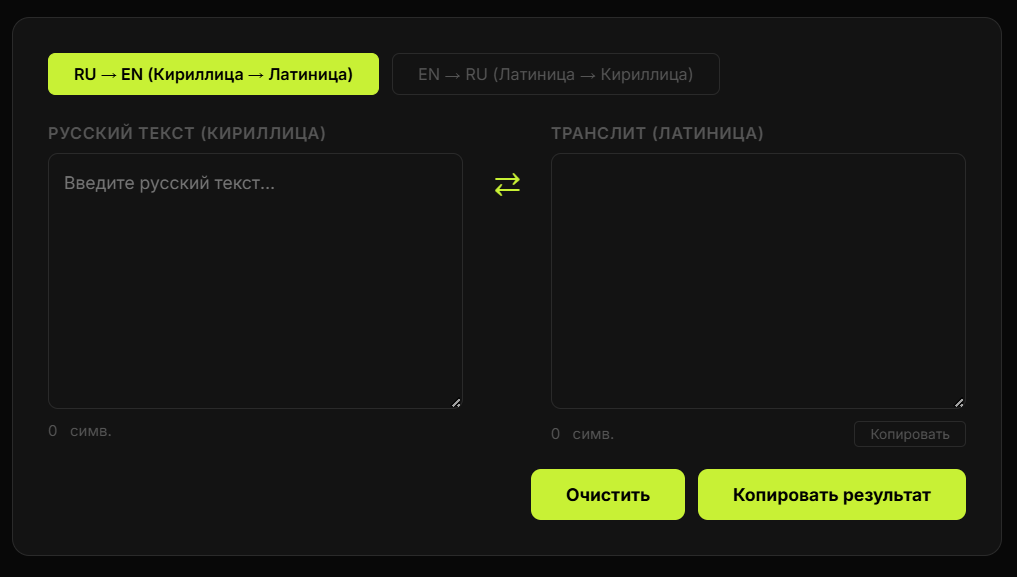
This is where a dedicated transliteration tool becomes practical. Instead of improvising conversions, guessing letter mappings, or producing inconsistent naming patterns, you can generate cleaner versions quickly and keep output more standardized. That is useful not only for speed, but also for consistency across the whole project.
What makes a good transliteration workflow
A good transliteration workflow is predictable. The same input should produce stable output. It should be easy to copy, easy to reuse, and easy to apply to URLs, filenames, categories, labels, and content structures. The workflow should reduce decisions, not add more of them. If every transliterated filename becomes a fresh debate, something has gone wrong.
It also helps when transliteration fits naturally into a broader publishing system. Many people create content, generate slugs, prepare images, write metadata, and organize files in the same process. A fast online transliteration tool fits nicely into that sequence and removes one more point of friction.
Why this topic works well for SEO intent
The search intent behind transliteration queries is usually practical. People want to convert text, build cleaner filenames, generate usable slugs, or solve compatibility issues in a workflow. That makes the topic valuable both as educational support content and as an entry point to an actual tool. The article explains why transliteration matters. The tool helps people do it immediately.
From a content strategy perspective, that is a good balance. Helpful explanation creates trust. Practical utility creates action. And the user gets to leave with a solved problem instead of a thoughtful essay about why the problem is fascinating in theory.
Final thoughts
Transliteration helps with URLs, filenames, and SEO because it makes structures cleaner, workflows more manageable, and content systems easier to operate across languages and platforms. It does not need to be dramatic to be valuable. In fact, its usefulness is largely built on not being dramatic at all.
If you regularly work with multilingual content, non-Latin text, website slugs, document names, or publishing systems, a good transliteration process can save time, reduce inconsistency, and make the entire setup feel more deliberate. Which is a very respectable outcome for something most people only notice when it stops working.